
Stop after the official status is clear. Do not continue to an installer or store result that does not match it.
Check access Petit Planet Wiki
Petit Planet Wiki
Route map for status pages, daily tools, and searchable databases. Use it when you already know which Petit Planet system you need.
Task-first index
Start from the decision you need to finish
The wiki is not a reading order. It is a handoff: choose one task, open the smallest tool that can answer it, and stop when the result is saved.
01
I need to know if I can playRelease Date → Download → Platforms
Access 02I have one short sessionDaily Reset → Codes → Events → Gifts
Repeat 03I am about to spend somethingItems → Materials → Crafting or Recipes
Protect 04I want one collection resultFish, Bugs, Shore-Dwellers, or Furniture
Collect Database routes11Searchable record pages
Daily tools5Repeat checks
Tracked fish92Reference records
Current events2Check before acting
Stop ruleIf the first page gives a direct answer or a saved tracker state, do not continue through unrelated categories.
Choose A Route By Player Stage
The wiki is most useful when it narrows the next action. Pick one stage, follow its route, and stop when its answer is complete.
Use the beginner route for order, then check what changed before relying on an older Stardrift-era plan.
Plan first sessionFinish the short repeat loop, then stop unless one notice sends you to a specific collection or shop page.
Run daily loopChoose a single tracker, save progress, and follow only its connected recipe, material, shop, or gift route.
Start with fishAll Wiki Routes
Pick the route by the player task: access checks, repeat session tools, or database lookup.

Official checks
Access & Status
Open these before you install, plan launch timing, or trust platform claims.
- Beginner Guide First-day route through access, daily checks, and collection tools. Route map
-
 Release Date Official homepage says Winter 2026; exact day is not posted. Official status
 -
 Download Use official access routes only; avoid APK mirrors and old test files. Safety check
 -
 Platforms PC Windows, iOS, and Android have official test references. Device check
 -
 Stardrift Test Limited-access data-wipe test ran April 21-May 25, 2026. Test timeline

Repeat checks
Daily Tools
Use these when you want a short answer or a checklist you can reuse.
-
 Codes No active verified code is listed right now; verified entries are copyable. Updated
 - Neighbor Gifts 9 profiles have gift-reference fields and a daily tracker. Gift planner
-
 Daily Reset Use the session checklist while the exact reset hour remains unverified. Checklist
 -
 Events 9 notices, including the current Final Beta/pre-registration campaign. Timeline
 - Patch Notes Current Final Beta/pre-registration signal plus official reveal, Coziness, and Stardrift notes. Sources

Searchable records
Database Routes
Open a database when you need filters, item icons, or local progress tracking.
-
 Items 214 item records with categories, type, route hints, and a saved watchlist. Item finder
 -
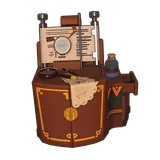 Crafting 239 furniture craft costs with material matching and saved checks. Planner
 - Fish 92 fish with habitat, time, weather, quality, and caught tracking. Tracker
-
 Cooking Recipes 93 dishes with ingredients, kitchenware, cuisine, and cooked tracking. Finder
 - Furniture 764 records with category, type, style, color, material, unlock, and owned tracking. Catalog
-
 Neighbors 14 profiles with roles, birthdays, galaxies, and gift fields where available. Profiles
 -
 Plants 76 crop and plant records for farming, cooking, and gift planning checks. Crop planner
 -
 Materials 50 resources for crafting and safe-spend checks. Save list
 -
 Bugs 68 insect records with habitat, time, weather, and caught tracking. Bug tracker
 -
 Shore-Dwellers 47 beach creature records for intertidal and coastal collection routes. Beach tracker
 - Galactic Bazaar 8 shop records and reference stock checks for currency planning. Shop board
Route Types
Pick the page by the kind of answer you need: official access status, reference lookup, or repeat session check.
Release Date, Download, Platforms, Events, Patch Notes, and Stardrift Test should be checked before installing, planning launch timing, or trusting platform claims.
Open routeFish, Recipes, Crafting, Furniture, Neighbors, and Neighbor Gifts use searchable reference records with clear current-build cautions.
Open routeCodes, Events, Daily Reset, and Neighbor Gifts give short checks, local progress, and honest empty states when a value is not verified.
Open routeHow This Wiki Handles Data
Official status pages and reference database pages are useful in different ways. Keep them separate when planning.
Official facts
High confidence. Release status, test dates, platform references, and official event notices are linked from official sources where available.
Lookup pages
Use carefully. Fish, recipe, furniture, and gift values help with planning, but should be checked in the current build before rare spending.
New reference systems
Use with checks. Items, crafting, bugs, plants, materials, shore-dwellers, and shop stock now have tools, but exact routes still need current-build confirmation.
Systems To Recheck
These systems matter for daily play, but exact routes and refresh rules still need current-build confirmation before they guide planning.
Items
Use item categories, route hints, and saved status before cooking, gifting, crafting, or selling.
Crafting
Use the material matcher before spending ores, woods, flowers, stone, or rare furniture resources.
Bugs
Use insect routes for collection planning, then confirm exact time and weather in the current build.
Plants
Use crop records as pantry and farming hints while grow rules stay pending current-build checks.
Galactic Bazaar
Use shop stock entries as a shopping watchlist, then confirm refresh behavior in the current build.
FAQ
What is the fastest way to use this wiki?
Start with release, download, and platforms if you want access info; use daily tools for repeat checks; use database pages when you need a specific record.
Are all wiki values final?
No. Database pages keep reference data separate from official facts and mark fields that need current-build checks.
Where should I check items, crafting, bugs, plants, and bazaar details?
Use the wiki route map and daily checklist for now. Exact item fields, craft costs, bug routes, grow data, and shop refreshes need current-build confirmation before they can guide planning.