
Gift Finder
Search by neighbor, loved gift, liked tag, disliked tag, role, or galaxy. Gift data is useful for planning, but still treated as reference data until current-build checks confirm it.
Best first search
Search a neighbor name if you already know who you want to visit, or search an item name to see who may like it.
Safe spending rule
Use loved gifts as a plan, then check the current build before using rare items.
Image status
Neighbor portraits are not guessed here. A profile can be useful without a portrait if its name, role, and gift fields are clear.
 Dorjelang Caterpillar Fungus Herbal Remedy
 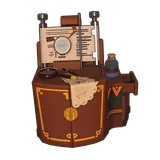 Dorjelang Cloudherder's Hatmaking Chest
 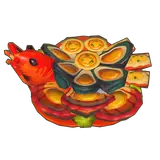 Dorjelang The Captain's Golden Scallop Seafood Boil
  Frostia Glistening Fruit Pie
 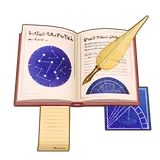 Frostia Quill Pen & Astrology Book
 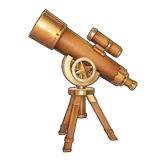 Harpeno Stargazer Telescope
  Harpeno Carapulcra Stew
 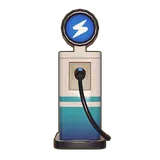 Harpeno EV Charging Station
 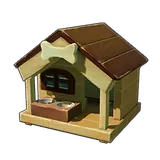 Isaki Rustic Dog House
 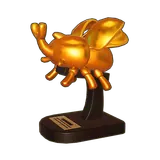 Isaki Golden Daikabutomaru Statue
  Isaki Kabuto Rice Bun
  Medowlyn Cloudlet Cookies
 Gift Finder
Search neighbor names, loved gifts, liked tags, dislikes, and verification status.
| Neighbor | Galaxy | Loved gifts | Liked tags | Disliked tags | Status |
|---|---|---|---|---|---|
| Dorjelang Hatmaker · May 2nd | Hexia | Caterpillar Fungus Herbal Remedy, Cloudherder's Hatmaking Chest, The Captain's Golden Scallop Seafood Boil | Red, Orange, Romantic, Natural Fiber, Grill | Insect, Metal | Gift data found |
| Elsasani Starsea Racer · February 14th | Needs verification | Needs verification | Needs verification | Needs verification | Pending |
| Frostia Mystic Scholar · September 9th | Norvan | Realm of Stars Ballgown, Glistening Fruit Pie, Quill Pen & Astrology Book | Butterfly, Bookshelf, Desk, Purple | Needs verification | Gift data found |
| Glenn Shopkeeper · May 1st | Needs verification | Needs verification | Needs verification | Needs verification | Pending |
| Harpeno Route Patrol Officer · December 7th | Taffeh | Stargazer Telescope, Carapulcra Stew, EV Charging Station | Stew, Wood, Glasses, Multicolored | Laptop, Glass | Gift data found |
| Isaki Battle Beetle Trainer · July 22nd | Hexia | Kabuto Beetle, Rustic Dog House, Golden Daikabutomaru Statue, Kabuto Rice Bun | Beetle, Yellow, Outdoor Decor, Wood, Sporty | Fish, Classic | Gift data found |
| Medowlyn Plushie Designer · July 5th | Norvan | Wildgrass, Sleepymoon Nightgown, Cloudlet Cookies, Fluffy Clouds Plushie | Plushie, Blue, Dress, White, Flower | Metal, Shore-Dweller | Gift data found |
| Mobai Life Coordinator · February 19th | Needs verification | Needs verification | Needs verification | Needs verification | Pending |
| Mors Curator of the Omni-Gallery · December 8th | Needs verification | Needs verification | Needs verification | Needs verification | Pending |
| Msafiri Adventure Guide · August 8th | Taffeh | Grainharvester's Haystacks, Yellowbloom Potted Cactus, Handmade Tabby Cat Plushie | Brown, Grill, Natural Fiber | Field & Orchard Salad, Bathtub, Drink | Gift data found |
| Nerina Composer · June 8th | Pashah | Tidal Wave Yogurt, Seaside Serenade Music Stand, Legato Concert Jacket | Broken Seashell, Bathtub, Blue, Shower, Artistic | Pepper (Type), Clock | Gift data found |
| Rebella Gemsmith · February 9th | Norvan | Goldflux Ore, BBQ Meatshrooms | Green, Stone (Type), Meat Dish, Teal, Fridge | Vegetable Dish, Plastic, Classic | Gift data found |
| Trixie Needs verification · Needs verification | Needs verification | Needs verification | Needs verification | Needs verification | Pending |
| Yunguo Cultivator · September 19th | Hexia | Apple, Bamboo Log, Bamboo Apple Slushie, Granny's Veggie Fried Rice | Bamboo, Farm Decor, Green, Red, Fertilizer | Black, Plastic | Gift data found |
No matching entries.
Choose evidence before the item
Turn one item in your bag into a safe gift decision
The table can be searched either way, but the safest order is exact loved gift → liked tag → wait. These examples come from the profiles that currently contain those fields.
One item can point to one or more neighbors. Search the exact name before opening a second route.
Tags are a comparison aid, not proof of a favorite. Keep the cost low until a live reaction confirms it.
Do not spend a rare dish or furniture item to fill a missing field. Keep the profile on the next-check list.
Gift Route Builder
Pick the route that matches what you know first: the item in your bag, the neighbor you are visiting, or a rare gift you do not want to waste.
Search the item name to see whether it appears as a loved gift or liked tag before you give it away.
Search itemSearch the neighbor name, pick the safest gift signal, then mark the daily check after the visit.
Use checklistRare dishes, furniture, ores, and event-looking items should wait until the current build confirms the preference.
Check itemGift Data Coverage
The gift finder pairs neighbor profile fields with confirmed item icons when a matching recipe or furniture image is available. Missing icons or blank fields stay empty instead of being filled with guesswork.
Use exact loved gifts when available, then confirm the current build before spending crafted dishes, rare materials, or furniture.
Reference dataTags help when an exact loved gift is missing. Search food type, color, style, or material to compare possible options.
Reference dataTreat dislikes as warnings. If a gift also costs rare ingredients, verify before giving it.
Reference dataGift Safety Rules
Use this as the first shortlist, but confirm in the current build before using rare food, crafted items, or furniture.
Reference dataTags help you compare item themes such as food type, color, material, or style when exact gifts are incomplete.
Useful for planningUse dislikes as a warning to slow down, especially before spending limited items during a test build.
Check before giftingDaily Gifting Workflow
Pick the neighbor first
Search the neighbor name, then scan loved gifts and liked tags before choosing an item.
Mark the check
Use the daily gift checklist after you visit or verify a neighbor. It saves only in this browser.
Reset manually
Press reset when you start a new session. Do not rely on an exact daily reset hour until it is confirmed.
Open reset checklistDaily Gift Checks
Gift Confidence And Cost Matrix
Use both confidence and replacement cost when choosing a gift. A high-value item needs stronger evidence than a common item, especially when the preference comes from test-era reference data.
Use a confirmed preference when the item is easy to replace and the current build still shows the same result.
Confirm live reactions before repeating rare giftsIf the item is common, use the preference as a planning hint and watch the live reaction before repeating the route.
Confirm live reactions before repeating rare giftsDo not spend rare food, crafted decor, or limited materials until the current build confirms the preference.
Confirm live reactions before repeating rare giftsChoose a replaceable item that matches a confirmed liked tag, or skip the gift instead of treating a blank field as a dislike.
Confirm live reactions before repeating rare giftsCampaign Reward Cross-Check
The current official pre-registration campaign lists Bestie Star-Light, Blissful Floral & Fruit Tea, Sweet Special, and other milestone items. Treat those as campaign rewards first; a reward name alone does not verify a neighbor preference or a safe daily gift.
Use the official event page to understand why an item exists, then return here for neighbor-specific evidence.
Open event statusUse loved/liked fields as a shortlist and confirm in the current build before spending a limited campaign item.
Do not infer from the reward nameFAQ
Are these gifts official?
No. Gift fields are reference data and should be verified in the current build before spending rare items.
Can I track gifts here now?
Yes. The daily gift checklist saves locally and resets when you press the reset button.
What is the safest way to use loved gifts?
Use loved gifts to shortlist options, then confirm the current build before spending rare or expensive items.
What are liked and disliked tags?
They are reference tag hints that can help compare item themes, colors, types, or materials when a specific loved gift is missing.
What should I search for?
Search neighbor names, loved gifts such as Cloudlet Cookies, liked tags such as Plushie or Red, disliked tags, roles, and galaxies.
What does pending current-build check mean?
It means the field is useful reference data, but you should confirm it in the current playable build before spending rare items.